Posts

Showing posts with the label tutorial

Construct2: Simple 2D Starfield Effect (top-down)

Image
It's been a long time since I was inspired to write a tutorial. But now I am able to provide you one more idea for Construct2 use. There are probably several ways to implement top-down 2D starfield effect in Construct2, but I think this is one of the easiest ones. By using this method, you will need only two particle objects to implement very simple starfield in no time! From events point of view you will need only " on start of layout " event, like this: This example was build for window size of 480x640 pixels, but the layout itself is twice as high (480x1280px). The reason for this is that particle object generates particles from single point only. User can define the size and direction of the cone, but it is not possible to change the width of the creation point. So all generated stars are not moving exactly to the same direction (motion is not parallel). You can get rough idea of layout view from the figure below. To make stars moving as paralle...

Voxel art avatar for WestSloth Games

Image
I have been playing for couple of days with a voxel editor called MagicaVoxel. Based on my trials I have found it quite interesting and easy-to-use tool for creating some kind of a 3D pixel art. Naturally, there are plenty of other voxel editors available, but so far this is enough for me.  Today I drafted a new avatar for WestSloth Games , the marketing label for the games I have published: We have now updated WestSloth Games social media profiles with this picture, so I really hope this looks like a sloth... :)  If you are interested so see more voxel art from me, please visit WestSloth Youtube channel . I have created there few videos showing how to draw e.g. Minecraft style pig , or Crossy Road style car   in very quick and easy way.  I have also exported object files from MagicaVoxel to Unity3D just to see that I have full flow up and running. Now I just need to draft a good game idea to make use of voxel art... -Jussi

Back to Unity3D

It's about two years since I last time tried to do something with Unity3D. At those days I did not have much gamedev experience. I just took some web based trainings and created couple of demos, but decided to use bit simpler tools for my first game projects. So far I have created several Flash games with Stencyl, and couple of Android games using Construct 2. Although these games are pretty simple and silly, I feel my level of gamedev knowledge has improved a lot by doing these games from the beginning to the end. Now I am trying to get familiar with latest Unity3D tool. I decided to start learning with  free Unity 2D tutorial from Udemy . Obviously there are plenty of other trainings available, but this seemed like a good intro for using the tool. My first impression is that there has been lots of improvements in Unity3D since the version 3 I was using last time. Somehow the tool seems to be easier to use now, or my skills have improved a lot in last two years. :) I hav...

sine wave (construct 2)

Image
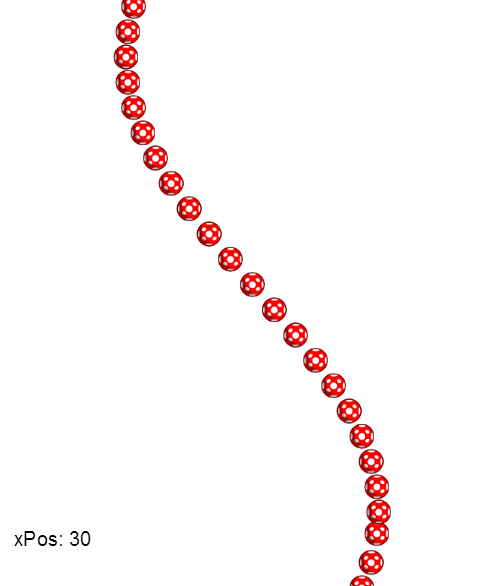
Apparently, I had a need to create a scene where the X position of consecutive objects was determined with sine function. Simultaneously, objects were moving from top to bottom, keeping their X position all the time until they exit the screen. Please see  sine wave demo (html5)  to get an idea what I was trying to do.  ( not available anymore ) The ready-made "Sine" function of Construct 2 was not suitable in this case, because I did not want to make the series of objects to look like a worm. :) Task is not too complicated and math it pretty easy, but anyways I decided to create an example showing my solution. If you are not willing to download .capx from my own server, the screenshot below shows the most critical points to implement this behavior: Basically, you will need following events and variables to make things working: xPosDelta determines the "steps" in which the objects are created. You can try to change the value o...